From inspection notice to carrier response.
Follow one fictional commercial-property case through the client request, reminders, evidence review and a response packet. See what your agency manages after the first message is sent.
Alderstone Property Group · CS-2026-0174
This is a product walkthrough with fictional data, not a customer case study or a promise of carrier acceptance.
120 Example Avenue. Historical example: notice August 29, 2026; carrier response due September 18; partial packet prepared September 8. The agency-set client target of September 11 is illustrative. The product screens show earlier illustrative stages of this fictional case; the packet images show the later sample export.
- Step 1 · notice and requirements
Turn the notice into named requirements.
Create the case and requirements manually. In this fictional notice, the agency needs two handrail photos, a contractor invoice and an electrical service record. Keep the carrier's September 18 deadline separate from any earlier client target. The emergency-exit item is already recorded as accepted.
- Step 2 · client checklist
Give the client a clear place to respond.
Share the case's private client checklist through your approved channel. Clients see which photos and documents are requested, upload against the right requirement and explicitly send them for agency review.
The free builder's separate 84 Sample Road example is not this case and does not import into it.
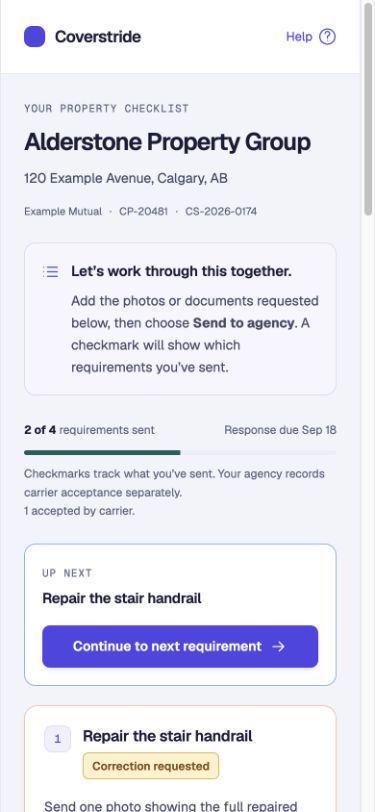
Actual client view · fictional case, before the partial packet. Open full-size screen - Step 3 · controlled reminders
Follow up on the evidence that is still missing.
Check the recipient and enable automatic reminders for the published case. Reminders wait while submitted evidence is under review, follow confirmed extensions and can be paused. Each batch pauses after five reminders for your team to review.
Publishing does not automatically enable reminders or guarantee a response.
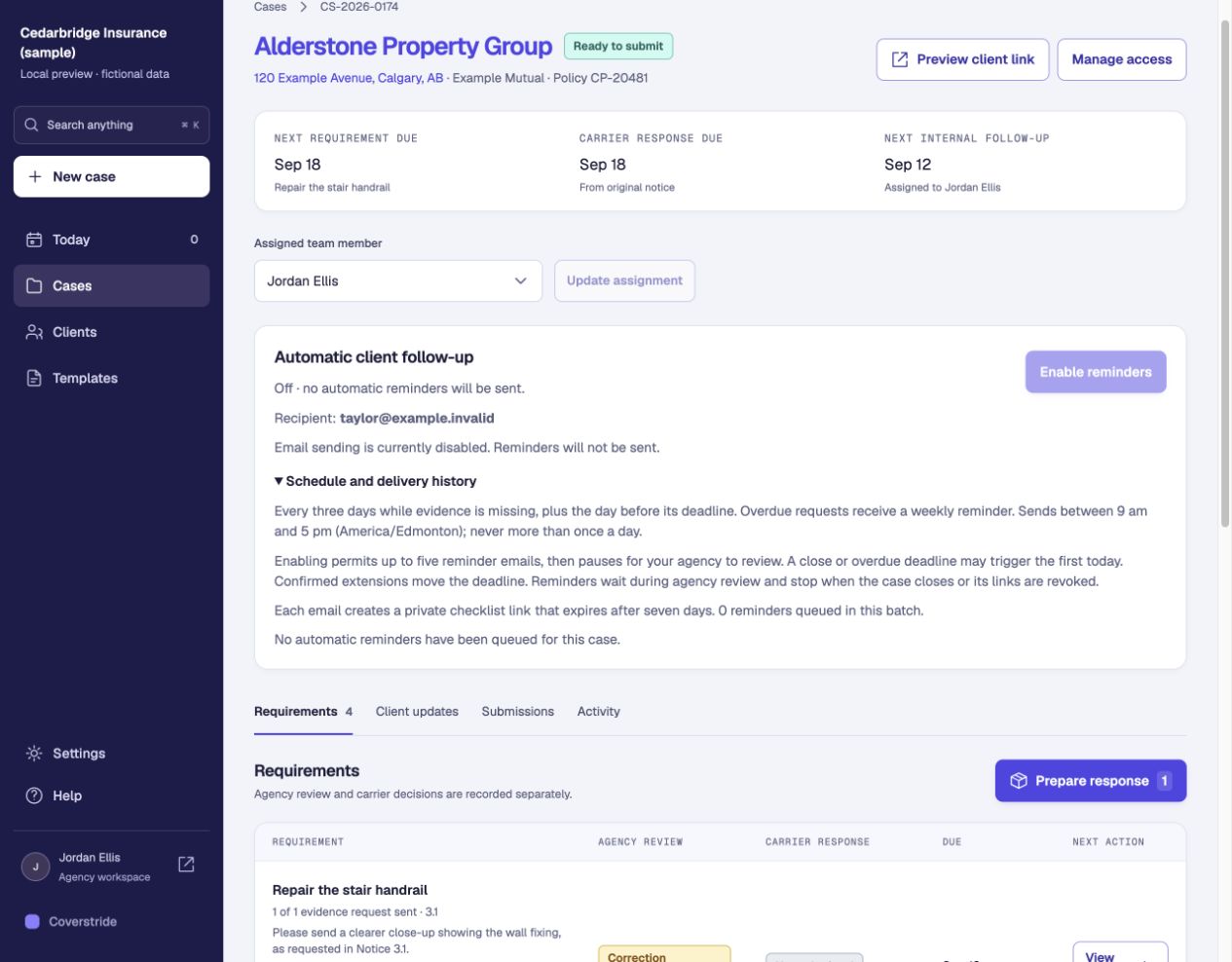
Actual product screen · fictional case. Reminder controls shown with reminders off. Open full-size screen - Step 4 · earlier review stage
Review the files and ask for a specific correction.
Check the selected evidence against the request. If a photo does not show the required detail, ask for that correction. Review the replacement before including it in the response packet. Agency review is separate from carrier acceptance.
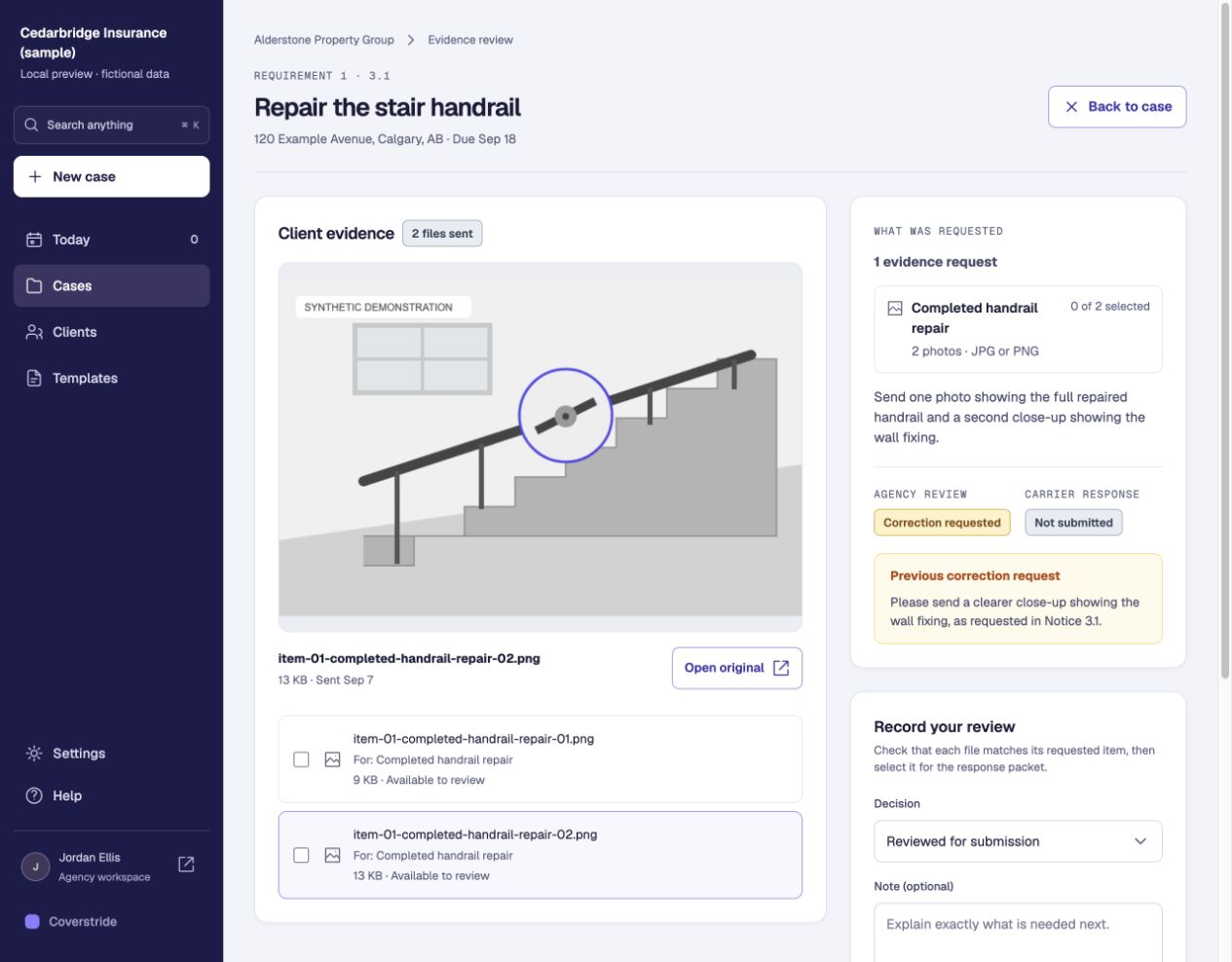
Actual product screen · fictional case. Earlier illustrative correction stage for Notice 3.1, before the reviewed handrail images included in the September 8 packet. Open full-size screen - Step 5 · partial response
Prepare the response and keep outstanding items visible.
The sample packet includes reviewed handrail photos and the contractor invoice. The electrical service record is still outstanding, and its requested extension remains unconfirmed. The packet makes that partial response explicit.
Open the four-page sample packet (PDF)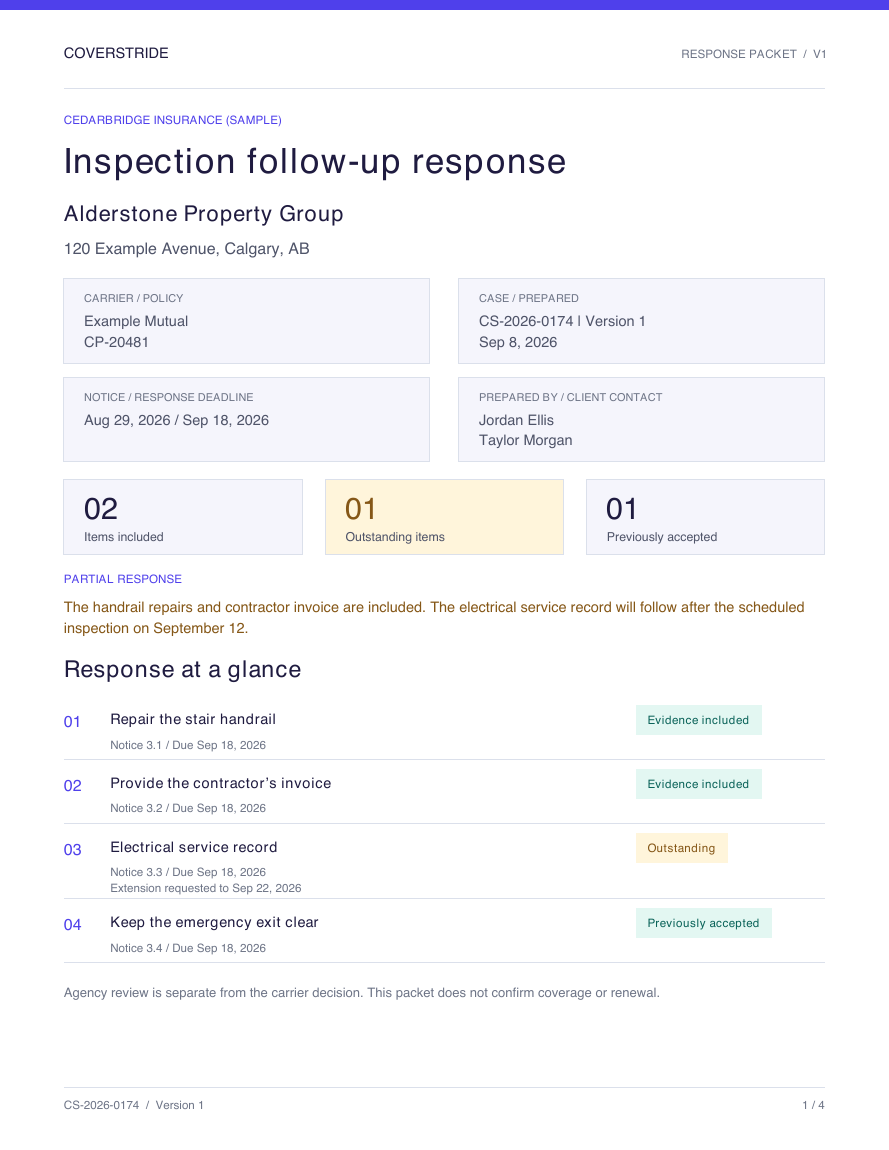
Unchanged actual export: partial response prepared September 8, 2026; electrical service record still outstanding. Open full-size screen 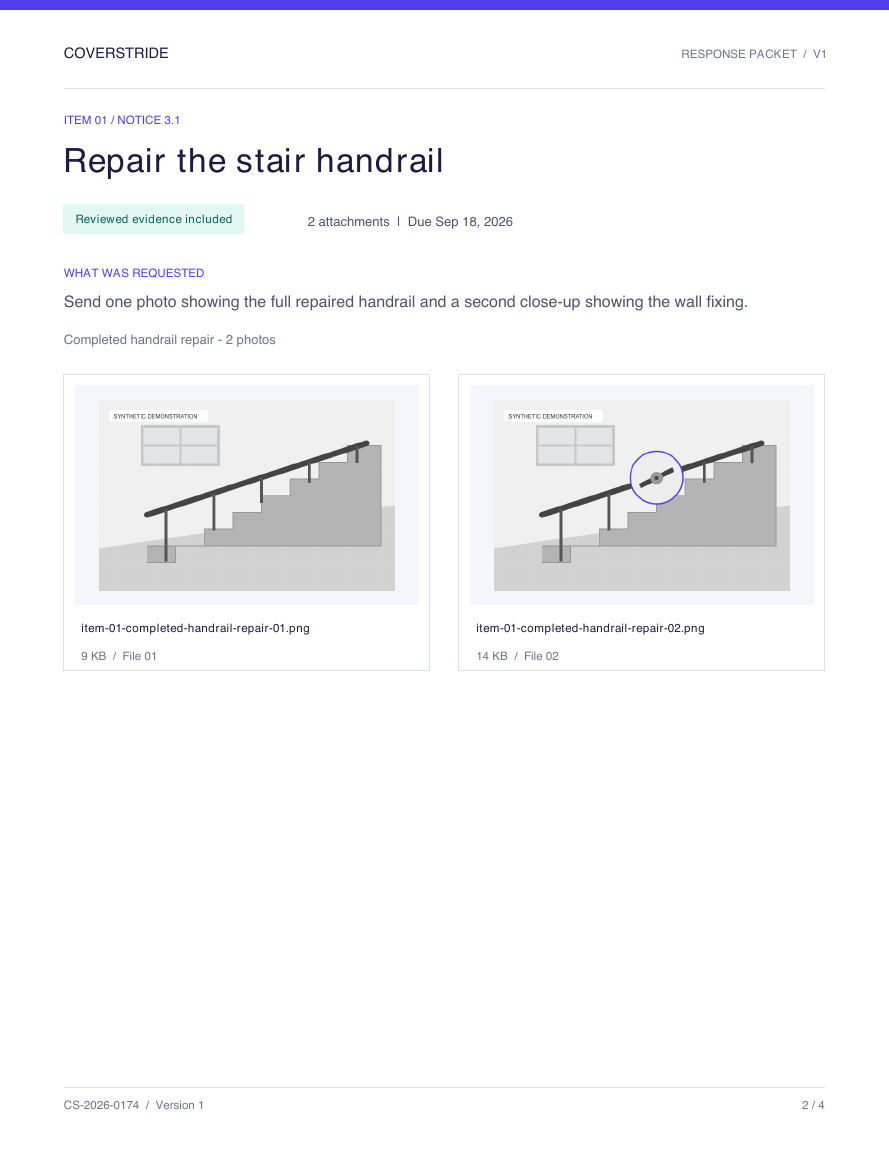
Unchanged actual export: reviewed handrail evidence. This is distinct from the earlier correction-stage screen. Open full-size screen - Step 6 · carrier follow-up
Send through the carrier's usual channel and record the response.
Your agency sends the packet through the carrier's portal or email, then records the delivery in Coverstride. Keep following up until the carrier's response is recorded. Later uploads do not change the earlier packet.
End state: awaiting the carrier's response. The September 22 extension is requested, not confirmed. The emergency-exit item's previous acceptance does not mean the partial packet or whole case is accepted.
Use the deadline follow-up kit