Create the requirements
Enter the carrier’s stated deadline and write one requirement per requested correction. Templates help you draft; the notice stays the source.
Collect repair photos and invoices, send automatic client reminders and prepare a professional carrier response packet. Keep every requirement and its evidence together.
US$29/month for your agency. Five staff included.
30 days free · No credit card required · No automatic charge
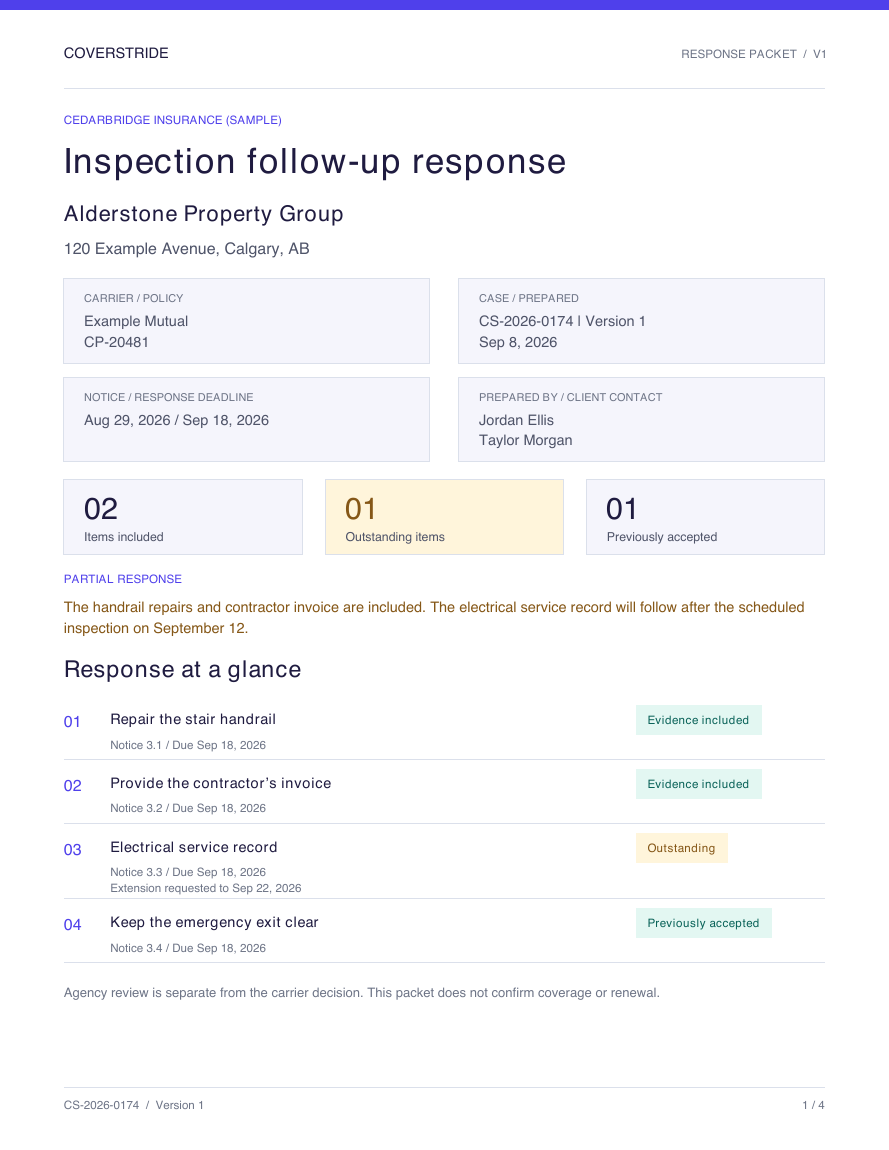 Open the sample PDF
Keep the agency’s work queue and the client’s checklist connected.
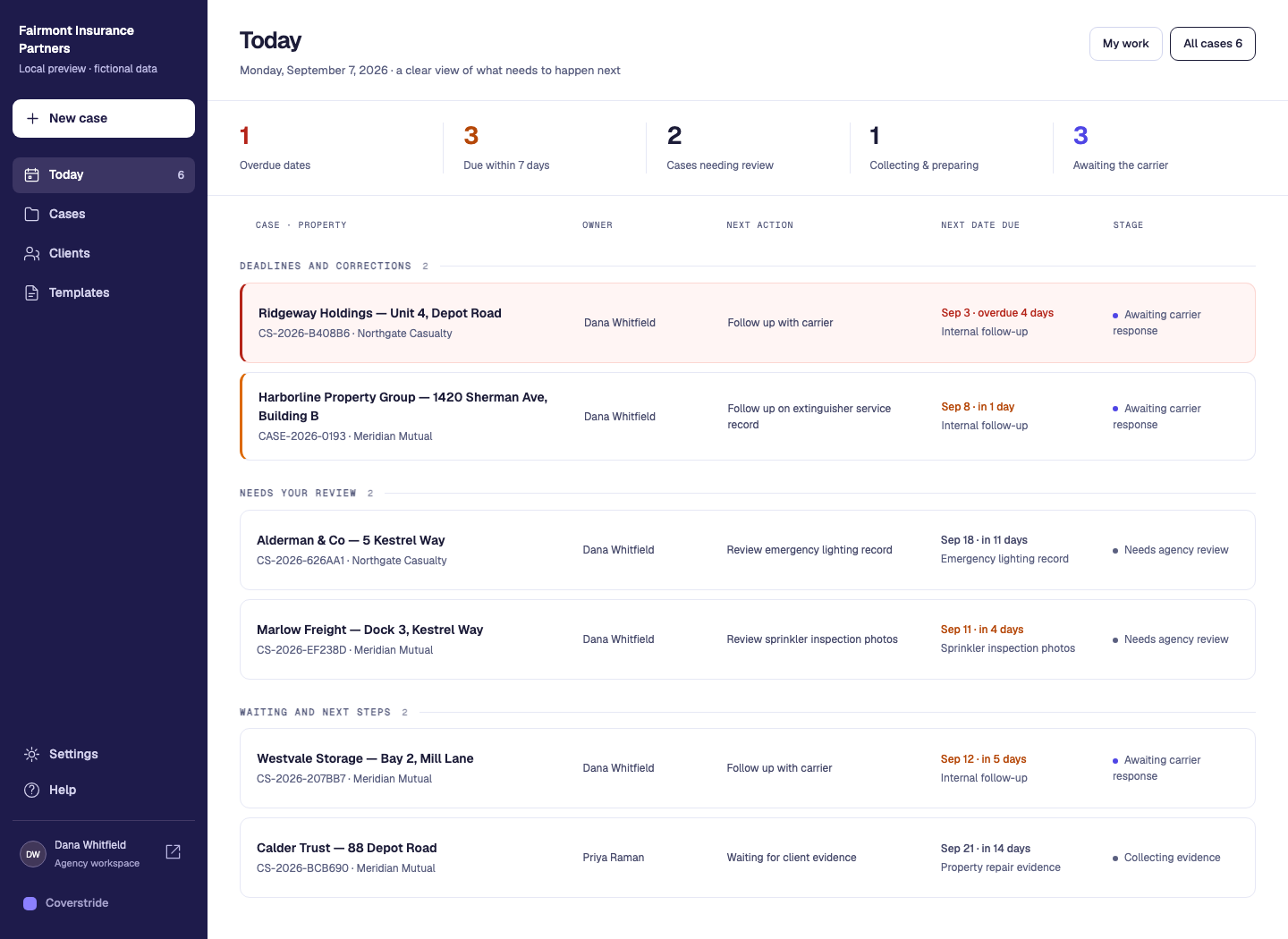
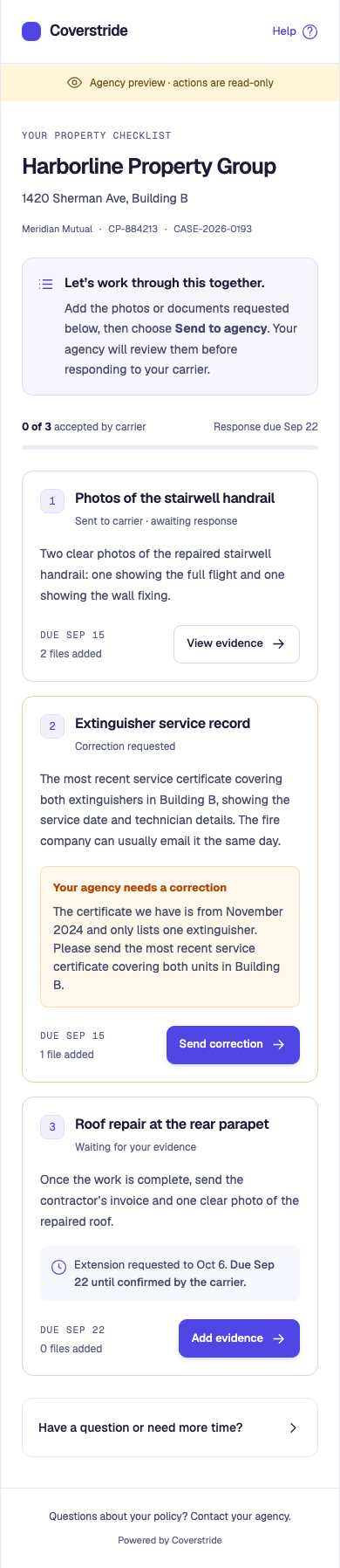
Turn reviewed photos and documents into a polished PDF packet, with every attachment matched to the right checklist item.
Clear case details, labelled previews and outstanding work, brought together in one document.
Consistent names based on the requested evidence, with the original photos and documents included.
Each packet preserves the file versions you reviewed. Later uploads don’t change an earlier packet.
Send through your carrier’s usual portal or email, then record the delivery in Coverstride.
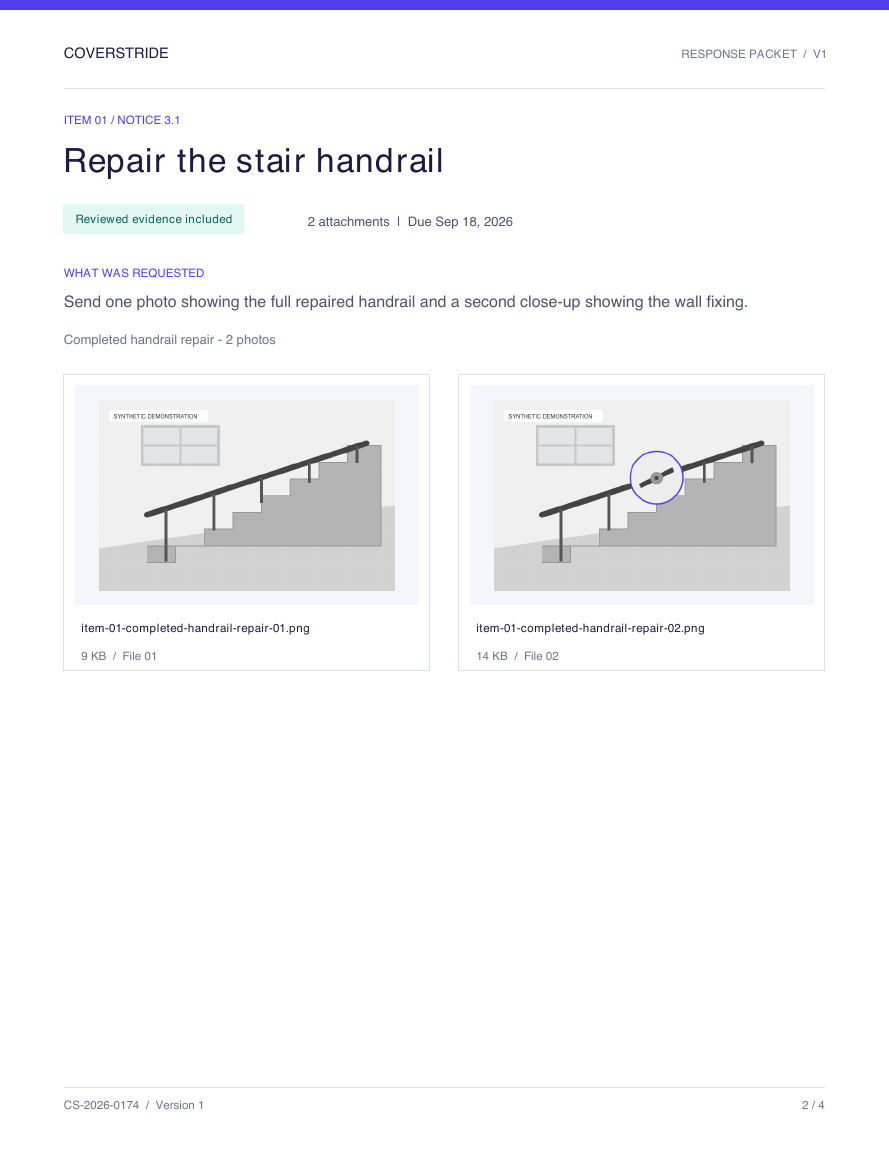 Actual Coverstride export
Enter the carrier’s stated deadline and write one requirement per requested correction. Templates help you draft; the notice stays the source.
Clients upload from a phone against the exact requirement. Review the selected files for submission, or request a specific correction.
Download a polished PDF with clearly named original files, send it through the carrier’s own channel, then record what was sent and what came back.
Independent agencies handling repeated property-inspection follow-up across several carriers, alongside the management system they already use. Coverstride does not currently synchronize with your AMS.
Start your 30-day free trialStart with a practical tool for the task in front of you. Organize a notice, request repair evidence, review files or outline the carrier response.
Organize requested corrections, evidence, owners and dates before you prepare the carrier response.
Use the checklistCreate a clear request for repair photos and invoices, with separate client and carrier dates.
Build a client requestCheck that each submitted photo or document answers the requested requirement before you prepare a packet.
Use the review checklistSummarize reviewed evidence, label attachments and make outstanding items clear.
Use the packet outlineSee the details that matter at each step, with practical examples from Coverstride’s workflow.
Create a clear request for insurance inspection repair photos and documents. Use the free builder and template, then organize follow-up in Coverstride.
Explore this workflowEvidence & reviewCollect repair photos, contractor invoices and certificates against named insurance requirements. Review evidence, request corrections and keep original files connected.
Explore this workflowDaily follow-upUse a free inspection deadline tracker, extension-request template and response log. Keep client targets, carrier deadlines and confirmed extensions clear.
Explore this workflowStart with 30 days in your own agency workspace, from the first checklist to the finished carrier response. No credit card required.
Use the current workflow with your team before choosing a paid plan.
No credit card required
Keep your client checklists, evidence review and carrier responses together.
Billed monthly at US$29.
Monthly
Your trial lasts 30 days and does not automatically become a paid subscription. The same allowances apply during your trial: 5 staff, 100 open published cases and 25 GB of original evidence. Drafts and closed cases do not use open-case slots; their files still use storage. Pending staff invitations reserve seats. Clients do not use staff seats. The checkout shows applicable taxes and payment terms before you confirm.
More about pricing and accessUnderstand where Coverstride fits before you change how your team works.
Coverstride focuses on property-inspection follow-up: collecting repair evidence, reviewing it and preparing a carrier response. Keep your policy administration and other agency operations in the systems you already use. There is no automatic agency-management-system sync in this version.
Clients open a case-specific link in their browser, including on a phone. The link gives access to that case, so it should only be shared with the intended recipient. Your agency can revoke the links if access needs to change.
Yes. Name each evidence request and specify the type and number of files. For example, ask for one contractor invoice and two completed-repair photos. Clients see what is missing before they can send the requirement for review.
You download the PDF and original files, send them through the carrier’s usual portal or email, then record that delivery in Coverstride. Creating a packet or recording it as sent does not transmit it to the carrier.
Agency review, recorded delivery and the carrier’s response are separate steps. Your team records the actual carrier decision; Coverstride does not approve coverage, certify repairs or guarantee acceptance.
Yes. Enable reminders on a published case after reviewing the client email. Coverstride reminds clients about missing evidence and approaching deadlines, waits while your agency reviews their response, and respects confirmed extensions. Reminders stop when a case closes or its links are revoked. Each batch pauses after five reminders, and your agency can pause sooner.
Create and verify your account, add your agency details and start a 30-day trial. No credit card, sales call or invitation is required to create your agency. Your team members can then join through invitations. The trial does not automatically turn into a paid subscription.
Start a 30-day free trial with no credit card. Have a question first? We’re here to help.